
Endgame laboratory · observed results
Experiment
Records.
These are documented observations from pushing Heroes of Hammerwatch II far beyond ordinary progression. They are records—not promises, official limits, or instructions—and may change between game versions.
Extreme XP jumps can leave a character above 100% XP without leveling. Current evidence points to a 32-bit integer overflow—not a true level cap—and continued XP can eventually wrap the value back into a working range. Recovery may require billions of additional XP and remains unofficial. Back up first. Read the math, evidence, and cautious recovery method ↓
This warning applies to builds that take or redirect incoming damage through mana, including affected Priest setups. Combined with Scroll of Earthquake, that interaction can produce an overwhelming number of spikes and effects, severe slowdown, and a game crash. Identify the trinket and review the evidence ↓
Record 01 · XP overflow investigation
Why levels freeze—and how they can resume.
The original level 3,932 observation looked like a maximum-level wall. Later failures near levels 511 and 542 showed that the displayed level is not the trigger. Community research now points to the character's accumulated XP crossing a signed 32-bit integer boundary. The character can appear locked above 100% until enough additional XP makes the counter wrap into a usable range again.
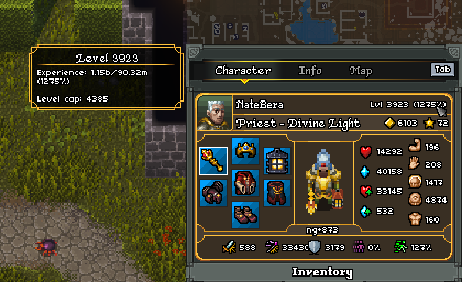 Original case: level 3,932 · XP at 1,275%This is no longer believed to prove a universal level cap.
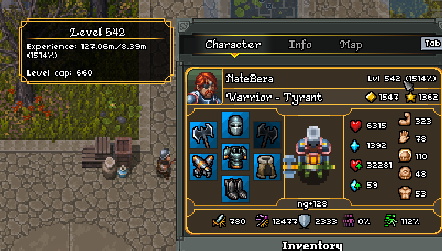 New case: Warrior stuck at level 542The same overflow symptom appeared far below level 3,932.
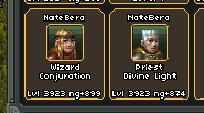 Additional affected-character evidenceA secondary account reportedly stopped at approximately level 511.
- 01This is not a universal level cap
Failures near levels 511, 542, and 3,932 rule out one fixed maximum level. A large reward can cross the problematic XP boundary while the character is at almost any nearby displayed level.
- 02The game uses an integer XP path
The community wiki documents cumulative XP as 2,000 × level2.2, and its code notes identify GiveExperience as returning an integer. A signed 32-bit integer tops out at 2,147,483,647; the documented curve crosses that value between levels 551 and 552.
- 03Why XP can exceed 100%
When an extreme reward pushes the stored XP through the signed limit, integer wraparound can leave the value on the wrong side of the game's normal level-up comparison. The UI can keep reporting increasing percentages even though the next level does not trigger.
- 04Community recovery: keep gaining XP until it wraps back
The current workaround is to continue earning XP until the counter returns to a range where level checks work again. A complete 32-bit value cycle spans 4,294,967,296 values, so recovery can require billions of additional XP; the exact amount depends on where the stored counter currently sits.
- 05The Desmos model predicts repeated XP-skip bands
kamehapa's shared model places the first boundary near level 552 and later modeled re-entry boundaries near 909, 1,146, 1,333, and beyond. These are mathematical estimates based on the known XP curve—not official caps or guaranteed recovery levels.
- 06Recover cautiously and preserve evidence
Create a dated Save Profile before attempting recovery. Prefer controlled XP gains, record the starting percentage and each reward, and retain the broken save separately. Huge rewards can cross more than one boundary and make the result harder to predict.
What the numbers say
2,147,483,647maximum signed 32-bit valueFull wrap interval
4,294,967,296possible integer values before repetitionFirst modeled boundary
≈ level 552from the documented cumulative XP curveInteractive XP model
Explore the overflow boundaries.
Based on kamehapa's Desmos model. Move across either graph or use the slider to inspect the predicted level at each signed-integer boundary.
Predicted character level
Level gap between boundaries
Recovery is not risk-free: back up before trying it. If XP is already above 100%, continued high-value XP gains may eventually restore leveling, but there is no in-game progress meter for the wrapped counter and no official developer confirmation of this method. Do not overwrite your last working save.
Community research credit
Mad respect to kamehapa.
kamehapa helped identify the integer-overflow explanation and supplied the extended XP-skip calculator. His characters were progressed legitimately through ordinary mechanics built into the game—not with Heroes Cheese or a hosted 50k cheese lobby. Reaching these extreme levels naturally is seriously impressive. Review the original community material alongside this record:
The level 909 video aligns with the calculator's second modeled boundary. This remains community evidence and arithmetic—not an official statement from Crackshell.Record 02 · high-NG build interaction
Scroll of Earthquake and damage-to-mana builds.
Avoid this trinket when your build takes or redirects incoming damage through mana. This includes affected Priest-style setups. Because Scroll of Earthquake reacts to mana spending, the interaction can repeatedly discharge spikes under extreme incoming damage and overwhelm the game.
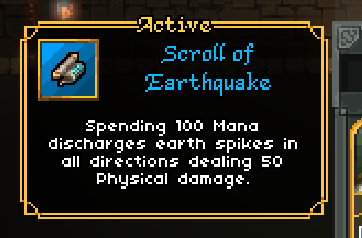 The trinket to avoidScroll of Earthquake · Active · sends earth spikes in all directions.
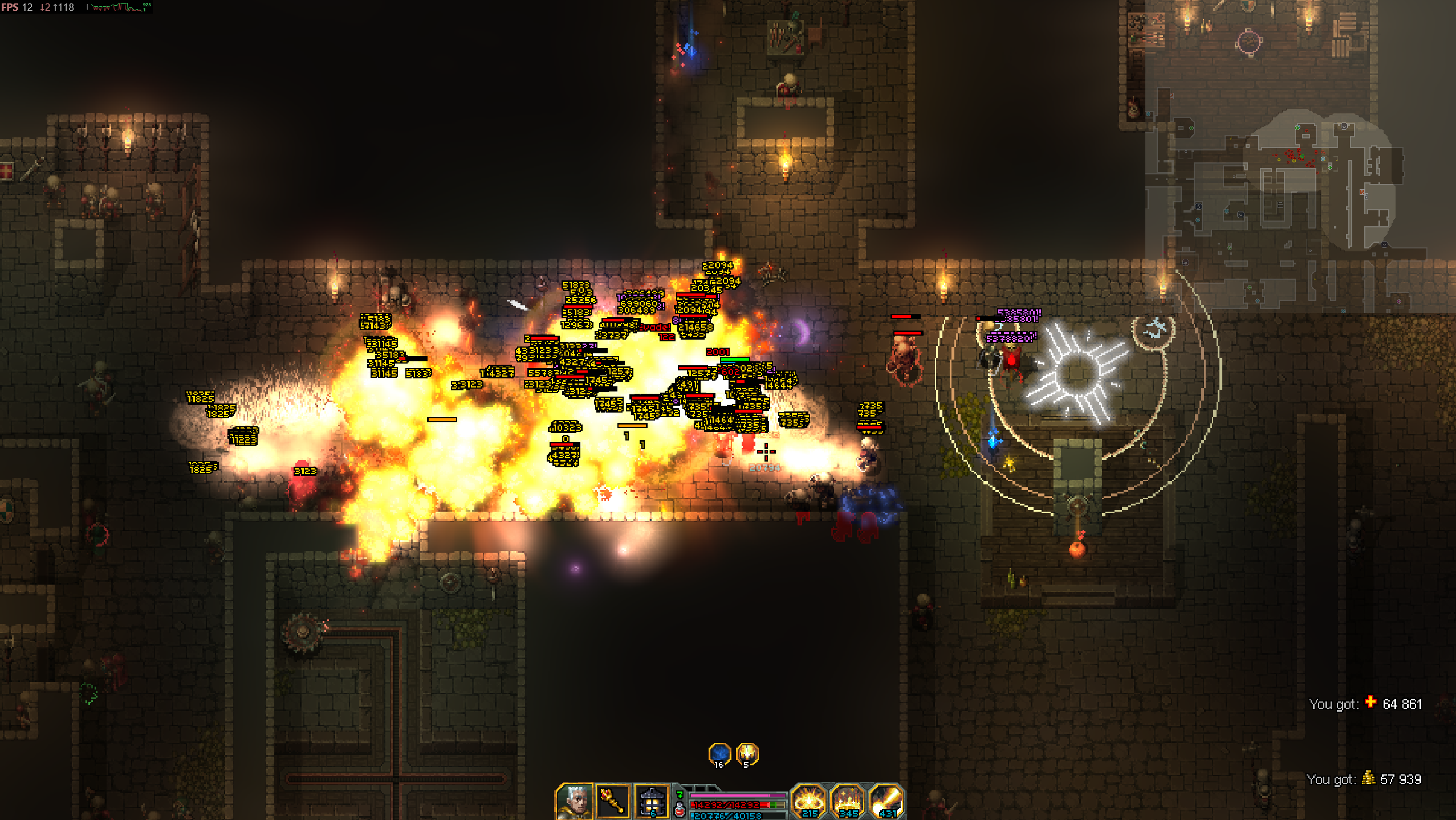 Severe effect overloadFrame rate collapsed while spikes, impacts, enemies, and damage numbers accumulated.
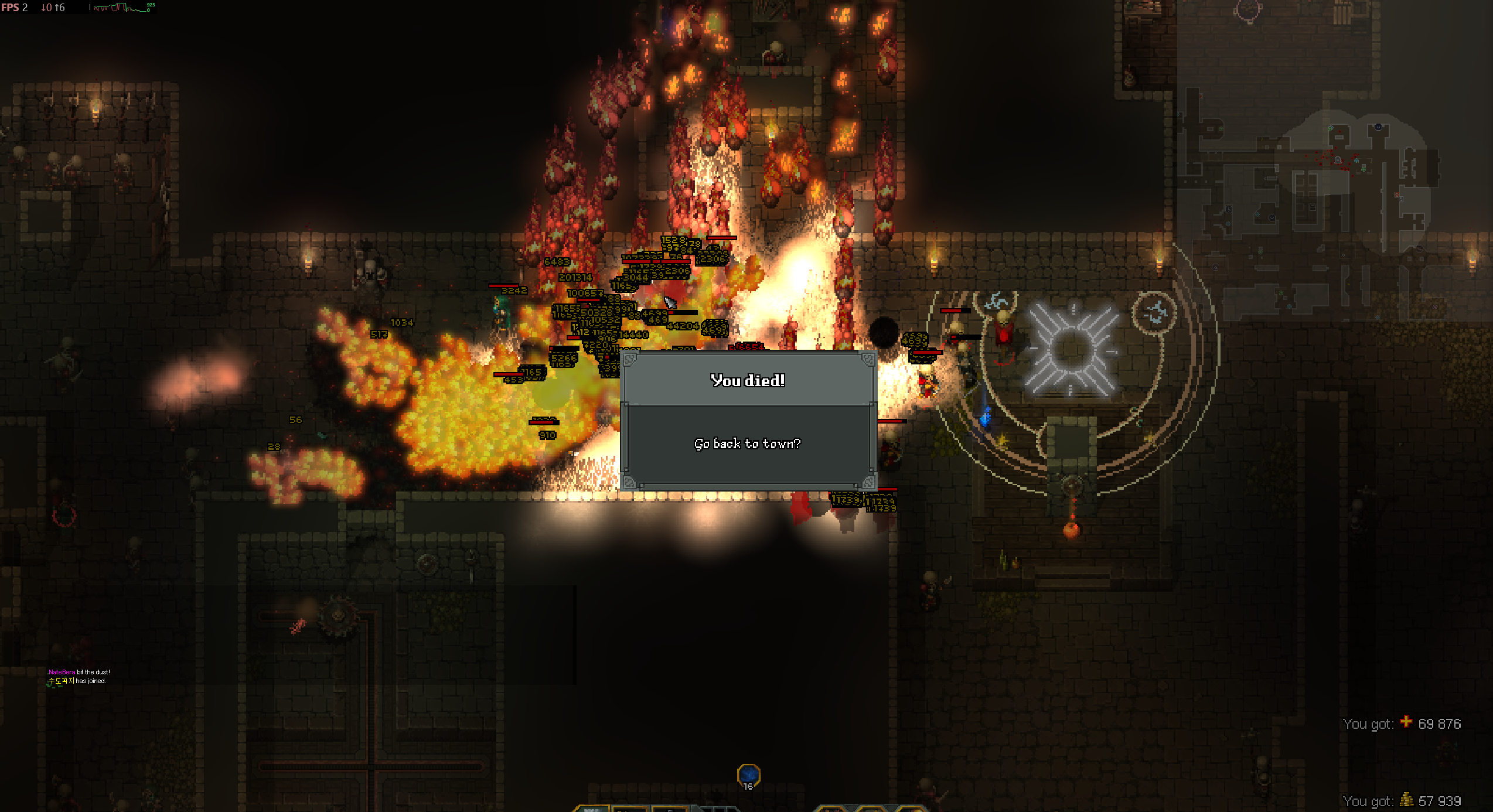 Failure stateThe run became unstable and crashed. PC instability may also occur.
- 01Identify it before collecting
The tooltip reads Scroll of Earthquake. It is an Active trinket with the description “Spending 100 Mana discharges earth spikes in all directions, dealing 50 Physical damage.”
- 02Check how your build handles incoming damage
The observed danger is associated with builds where incoming damage consumes, redirects through, or otherwise rapidly spends mana. If your class or setup uses that mechanic, leave this trinket on the ground.
- 03The danger is repeated effect multiplication
At high NG, heavy incoming damage can rapidly drain mana. Scroll of Earthquake reacts to mana spending, potentially producing repeated spike discharges, visual effects, collisions, calculations, and combat text.
- 04A powerful PC is not protection
The observed run fell to extremely low frame rates before failing. This appears capable of crashing the game and may destabilize or freeze the PC regardless of otherwise strong hardware.
- 05If you already equipped it
Do not activate it. Leave the run safely if possible, unequip or replace it in town, and restart the game if performance remains abnormal.
Current guidance: treat Scroll of Earthquake as unsafe at high NG when using a damage-to-mana or mana-absorption build. This record documents an observed interaction, not a confirmed engine-level diagnosis. Other builds are not currently included in this warning.