
Character modes · one character or a group
Choose who
you want to push.
Press F4 to choose between Normal mode for one character and Rotation mode for a group. Both modes keep the second Singleplayer selection on top-left so the correct character receives the NG level.
Extreme level-skipping XP gains can leave a character permanently stuck above 100% XP. Rotation mode can expose several characters, so keep multiple dated backups and check levels regularly instead of assuming an overnight session will remain safe. Read the active incident record →
Normal repeatedly pushes one automatic top-left character. Rotation cycles from top-left through a roster position you select.
Mode 1 · Normal
Push one character repeatedly.
Use this when you want every completed cycle applied to the same character.
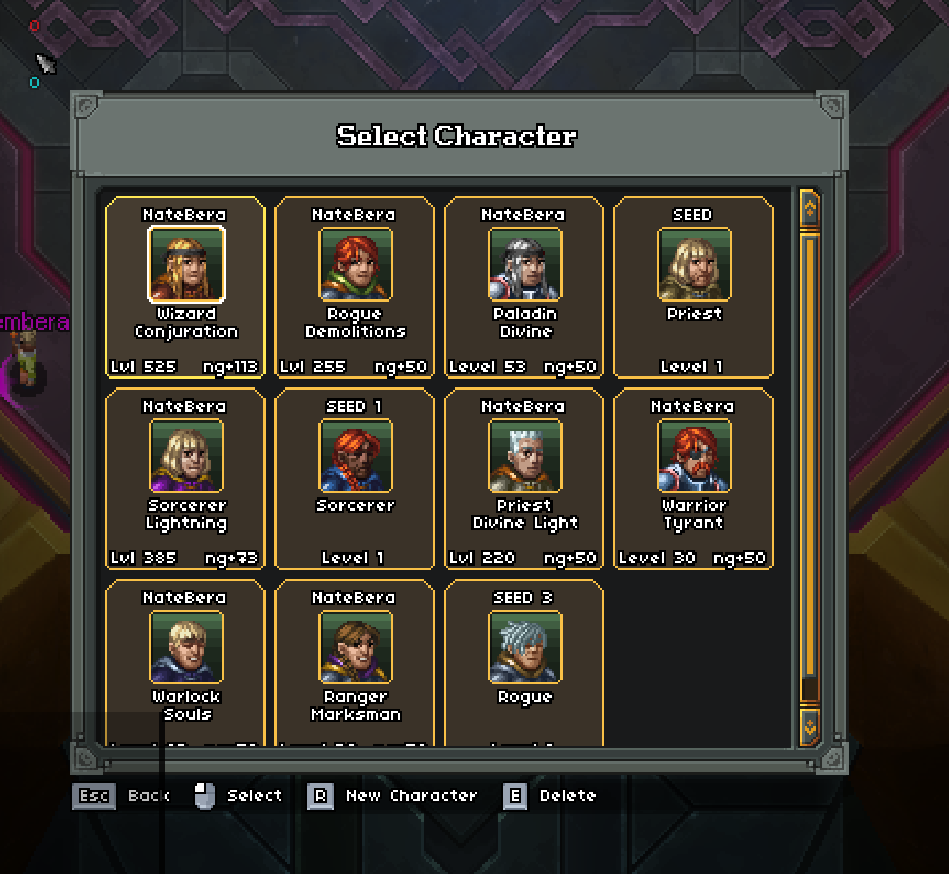 Select the character you want to levelThis works for any class—not only the Wizard.
- 01Select your target character
From the character-selection screen, choose the exact character you want to NG push.
- 02Enter a normal run
Start any regular run with that character and wait until the run has loaded.
- 03Abandon the run
Use the game's normal Abandon Run option and return to town or the menus.
- 04Confirm the character moved
Open character selection again. Your chosen character should now occupy the top-left position.
- 05Choose Normal mode
Launch Start-NateBera-NG-Ascension.cmd, press F4, and enter 1 for Automatic top-left.
- 06Test before repeating
Run one watched F8 test, then use F9 only after the complete cycle succeeds.
Switching later: stop the bot with F10, repeat this preparation using the new character, confirm it is top-left, and run another watched F8 test before resuming repeated cycles.
Mode 2 · Rotation
Share NG across a character group.
Select any roster position as the end of the group. Each completed cycle moves that character to top-left and shifts the earlier characters one position, making the selected position contain a different character next cycle.
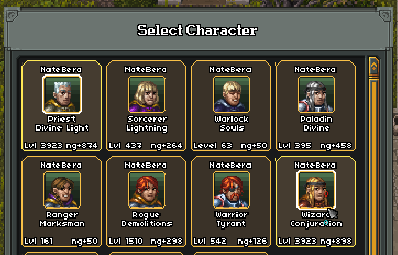 Hover over the last character to includePosition 3 rotates 1–3; position 5 rotates 1–5; final slot rotates everyone.
- 01Choose Rotation mode
Press F4 and enter 2 for Rotation location.
- 02Choose the final included position
On the multiplayer character screen, hover over the roster position that ends your group and press Ctrl + Alt + 3.
- 03Understand the order
Selecting position 3 cycles the top-left, second, and third characters. Selecting position 5 cycles the first five. Selecting the final position cycles the complete roster.
- 04Calculate the cycle count
Multiply the number of included characters by the NG levels wanted for each. Three characters × 10 NG each = 30 cycles. Set that total using F7.
- 05Run a watched test
Use F8 first and confirm the rotation selection works, the same character becomes top-left in Singleplayer, and that character completes the exit.
Returning to one character: press F4 and enter 1 for Automatic top-left. The saved rotation location will no longer be used.